We independently review everything we recommend. When you buy through our links, we may earn a commission. As an Amazon Associate we earn from qualifying purchases.
Best Budget Mesh WiFi Systems for Whole-Home Coverage
Compare the best budget mesh WiFi systems for apartments and family homes, with WiFi 6 and WiFi 5 picks, coverage tips, and simple setup advice.
A single router often leaves bedrooms, home offices, and corners of the living room with a weak signal. A mesh system fixes that by spreading several small nodes around the home, all sharing one network name so phones, laptops, and TVs move between nodes without dropping the connection.
Budget mesh kits have improved a lot. WiFi 6 models now sit alongside proven WiFi 5 kits, and most include app setup, parental controls, and a guest network. The five systems below cover different home sizes and internet speeds, so you can match a kit to your floor plan instead of paying for coverage you will never use.
As an Amazon Associate, we earn from qualifying purchases.
Quick answer
For most homes, the TP-Link Deco X55 3-pack is the strongest budget pick, with WiFi 6 speeds, wide coverage, and three wired ports per unit. Smaller budgets suit the Deco S4 or Tenda Nova MW6, while the eero 6 Plus favors simple app control and smart home features. Pick by home size, internet speed, and how many wired devices you own.
The Deco X55 is a dual-band WiFi 6 mesh system rated AX3000, with the 3-pack listed for coverage up to 6,500 square feet and support for up to 150 connected devices. The Amazon listing for this pack uses ASIN B09PRB1MZM. Each unit has three Gigabit Ethernet ports, which is generous at this level and useful for a TV, a game console, or a desktop PC that you would rather wire than leave on wireless.
Setup and management run through the Deco app, and the system supports Ethernet backhaul, so nodes linked by cable can carry traffic over the wire instead of sharing wireless bandwidth. TP-Link lists AI-driven roaming, parental controls, and a guest network, plus compatibility with Alexa voice control. Any Deco model can join the same network, which makes later expansion simple.
This suits households on faster cable or fiber plans who stream in several rooms and work from home. The trade-off is that it is dual-band only, so the nodes share the same two bands for device traffic and backhaul. Homes with very thick walls or a gigabit plan they want to use in full may prefer a tri-band system, which costs noticeably more.
The Deco S4 is a dual-band WiFi 5 system rated AC1900. The 3-pack is listed for coverage up to 5,500 square feet and up to 100 connected devices, and the Amazon listing for this pack uses ASIN B084GTH5LL. Each unit has two Gigabit Ethernet ports with auto-sensing, and any unit can act as the main router, so placement stays flexible.
Like other Deco kits, the S4 uses one network name with seamless roaming, and the Deco app handles setup, parental controls, and basic quality settings that can prioritize a chosen device. The listing notes that it works with Alexa, and all Deco models can work together in one network, so an S4 kit can later gain a WiFi 6 node without replacing everything.
This is a sensible pick for apartments and mid-size homes on moderate internet plans, where coverage matters more than top speed. Streaming, video calls, browsing, and smart home gadgets are its natural workload. The limits are clear, though. WiFi 5 radios are slower than WiFi 6, there is no dedicated backhaul band, and busy homes with many simultaneous high-bandwidth users will feel the ceiling sooner. If your plan is fast and still growing, the X55 above is the safer long-term choice.
The Deco M5 is a compact dual-band WiFi 5 system in small round units that sit easily on a shelf or desk. The 3-pack is listed for coverage up to 5,500 square feet and more than 100 connected devices, and the Amazon listing for this pack uses ASIN B06WVCB862. Each unit offers Gigabit ports, and the system creates a single network with seamless roaming as you move around the home.
A long-standing strength of the M5 is its built-in security and family tools. TP-Link HomeCare, powered by Trend Micro on this model, adds antivirus protection for the network, parental controls with profiles per family member, and quality settings to prioritize devices or applications. The Deco app guides setup and shows which devices are connected.
The M5 suits families who value tidy hardware and ready-made parental controls, and homes where the router area is on display. Its trade-offs are age and speed. As an AC1300-class WiFi 5 design, its wireless throughput is the lowest of the TP-Link picks here, and the small units have fewer ports than the X55. For a smaller home on a modest plan, that rarely matters. For a large, busy home, a newer WiFi 6 kit gives more headroom for the years ahead.
The eero 6 Plus is a dual-band WiFi 6 system built around a very simple app experience. The 3-pack is listed for coverage up to 4,500 square feet, support for internet plans up to a gigabit, and connections for 75 or more devices. The Amazon listing for this pack uses ASIN B08ZK2BHP2. It supports a wider 160 MHz channel on the 5 GHz band, which helps compatible devices move data faster when they are near a node.
Each eero has two Gigabit Ethernet ports, and the system uses TrueMesh routing to choose paths between nodes. A built-in smart home hub supports Thread and Zigbee devices and works with Alexa, so some smart bulbs and sensors can join without a separate hub. Setup, updates, and network checks all happen in the eero app, with automatic updates turned on by default.
This suits anyone who wants the network to mostly manage itself, and smart home owners who value the built-in hub. The trade-offs are control and extras. Advanced settings are limited compared with Deco, and some security and parental features sit behind the optional eero Plus subscription. Coverage per 3-pack is also smaller than the Deco kits above, so larger homes may need an extra unit.
The Tenda Nova MW6 is a dual-band WiFi 5 system rated AC1200, sold in simple white cube units. The 3-pack is listed for coverage up to 6,000 square feet and up to 90 connected devices, and the Amazon listing for this pack uses ASIN B076JLJVTG. Speeds are listed at up to 867 Mbps on the 5 GHz band and 300 Mbps on the 2.4 GHz band, with MU-MIMO and beamforming to serve several devices at once.
Each unit has two Gigabit ports, and the nodes arrive pre-linked, so setup through the Tenda WiFi app is mainly a matter of placing the cubes and following the prompts. The listing includes a guest network, parental controls for scheduling access, and WPA2-PSK encryption. Extra nodes can be added to an existing Nova network in a few steps, and the system works with Alexa.
The MW6 suits smaller budgets, rental homes, and anyone replacing a failing router plus extender setup with something tidier. Its limits are the oldest here, though. AC1200 WiFi 5 radios are best for modest internet plans, app features are basic, and there is no WiFi 6 support for newer phones and laptops. Treat it as a coverage fix for everyday browsing, streaming, and calls, not as a performance upgrade for a fast fiber line.
How to choose
Start with your floor plan. Add up the floors and note thick walls, brick fireplaces, and long hallways, since each one shortens real coverage compared with the open-space figures on a box. A 2-pack often covers a flat or small house, while a 3-pack suits most two-story family homes.
Next, match the system to your internet plan. A WiFi 5 kit is fine for slower plans and everyday use. If your plan is faster, or several people stream and join video calls at once, WiFi 6 handles busy networks more efficiently and is worth choosing for a system you plan to keep for years.
Then count wired devices. Desks, TVs, and consoles near a node benefit from an Ethernet port, and homes with network cable between rooms can use wired backhaul for steadier speeds. Finally, check the app features you will actually use, such as parental controls, a guest network, and smart home support, and confirm the kit can grow with extra nodes from the same family.
Who should skip
Skip budget mesh if a single good router already covers your flat well, since extra nodes add cost without fixing a problem you do not have. Also skip these kits if you need advanced router controls, such as detailed port rules, custom firmware, or separate networks for many work devices, because app-led systems keep settings simple on purpose.
Gamers chasing the lowest possible latency, and homes with very fast multi-gig internet, should look at higher-end tri-band or WiFi 7 systems instead. Likewise, if your home is very large or built from dense stone or concrete, plan for wired access points or professional advice rather than expecting any budget 3-pack to cover every corner on wireless links alone.
Frequently asked questions
Can a mesh system work with my existing modem?
Yes. One node connects to your modem or combined modem-router unit with an Ethernet cable and becomes the main router for the mesh network. If your provider supplied a combined unit, the app or provider guidance usually explains how to turn off its old WiFi name so devices join the new mesh network instead of splitting between two networks at home.
How many nodes does a typical home need?
Most flats and small houses do well with two nodes, while most two-story family homes suit a 3-pack. Place nodes in open spots, roughly halfway between the main unit and the weak area, rather than inside cupboards or behind a TV. Adding one more node later is easy, so start with the smaller kit if your layout is compact and open.
Will mesh WiFi make my internet plan faster?
No. A mesh system cannot exceed the speed of the plan you buy from your provider. What it can do is deliver more of that speed to rooms where a single router fades, with steadier video calls and fewer dropouts. If speed is slow even next to the main node on a wired connection, the plan or the modem is the limit, not the WiFi.
Can I mix nodes from different brands?
Generally no. Mesh nodes are designed to work within their own family and app, so a Deco node, an eero node, and a Tenda node will not form one roaming network together. Within one brand family, mixing is often supported, for example adding a newer Deco unit to an older Deco network. Check the maker guidance for the exact models before buying an add-on node.
Final verdict
Budget mesh has reached a point where coverage, simple setup, and family controls no longer require a premium kit. The Deco X55 is the best all-round choice here for WiFi 6 speed and generous ports. The Deco S4 and Tenda Nova MW6 keep costs down for everyday homes, the Deco M5 adds strong built-in family security in a compact shape, and the eero 6 Plus is the easiest to live with for smart home households. Match the pack size to your floors, pick WiFi 6 for faster plans, and any of these five will feel like a clear step up from a single struggling router.
E
Emubox Editorial Team
We compare specs, materials and verified owner reviews before a product earns a spot. Rankings are never paid.
Affiliate disclosure. As an Amazon Associate we earn from qualifying purchases at no extra cost to you. Prices accurate as of the date shown.
Best 2mm 70 cm portable antennas compared: telescopic radio antennas near 70 cm, with connectors, bands and collapsed sizes explained before you buy today.
Find the best thermostat setting for winter and summer, with energy-saving setbacks, humidity tips, and smart schedules for a comfortable home year-round.
The best affordable business computer monitors balance sharp text, eye comfort and lasting value. Compare four reliable office displays built for long workdays.
Looking for the best inexpensive HD TVs non smart? Compare five genuinely non-smart HD televisions with tuners, HDMI inputs and simple setup for any small room.

 TP-Link Deco X55 AX3000 WiFi 6 Mesh System, 3-Pack
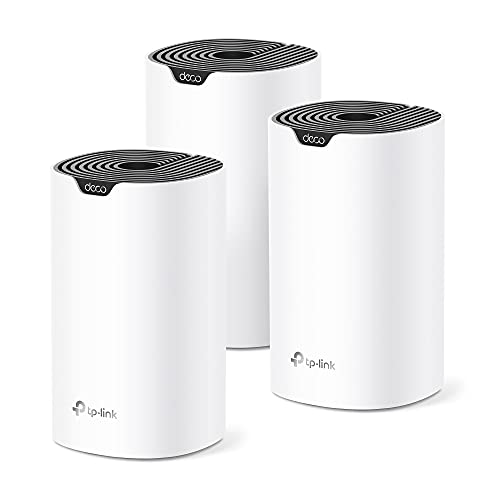 TP-Link Deco S4 Mesh AC1900 WiFi System, 3-Pack
 TP-Link Deco M5 Mesh WiFi System, 3-Pack
 Amazon eero 6 Plus Mesh WiFi System, 3-Pack
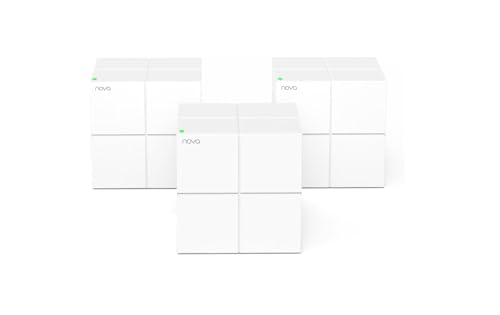 Tenda Nova MW6 Mesh WiFi System, 3-Pack









