
Our Short List of 3

- Best for: most builders who want proven performance at a budget tier.
- Best for: first-time builders who want the easiest application.

- Best for: builders who want a stencil-guided application.
All 4 Picks at a Glance
| Product | Specs | Action |
|---|---|---|
| ARCTIC MX-4 (4 g) |
| Check price on Amazon |
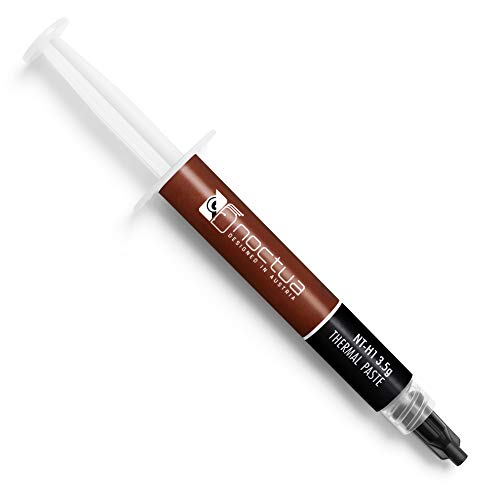
| Noctua NT-H1 3.5g |
| Check price on Amazon |
| Corsair TM30 Performance Thermal Paste |
| Check price on Amazon |
 Thermal Grizzly Kryonaut 1g |
| Check price on Amazon |
Key takeaways
- Find the best budget CPU thermal paste for your build. Compare five verified pastes with specs, application tips, and guidance for cooler, quieter PCs.
- Top Pick: ARCTIC MX-4 (4 g)
- Runner-up: Noctua NT-H1 3.5g
- Also consider: Corsair TM30 Performance Thermal Paste
As an Amazon Associate, we earn from qualifying purchases.
Short Answer
The best budget CPU thermal paste for most builders is the ARCTIC MX-4 (4 g). It pairs a published thermal conductivity of 8.5 W/mK with a carbon-based, non-conductive formula, and one 4 g syringe covers several desktop CPU installations. The Noctua NT-H1 3.5g is the friendlier choice for first-time builders because it needs no curing time. Overclockers should look at the Thermal Grizzly Kryonaut 1g, the premium pick here, while the Corsair TM30 and the SYY 3g with Tool Kit suit buyers who want a stencil or the lowest entry cost.
Table of Contents
- Short Answer
- How to Choose Budget CPU Thermal Paste
- Quick Comparison
- ARCTIC MX-4 (4 g)
- Noctua NT-H1 3.5g
- Corsair TM30 Performance Thermal Paste
- SYY Thermal Paste with Tool Kit, 3 Grams
- Thermal Grizzly Kryonaut 1g
- Frequently Asked Questions
- Conclusion
- Product and ASIN Reference
How to Choose Budget CPU Thermal Paste
Thermal paste fills the microscopic gaps between a CPU heat spreader and the cooler base. Without it, tiny air pockets act as insulation and the processor runs hotter. A good budget paste does this job well for years, and ease of use and quantity matter as much as raw thermal conductivity.
Start with thermal conductivity, measured in watts per meter-kelvin (W/mK). In the budget class, published figures range from about 3.8 W/mK to 8.5 W/mK, with a few makers claiming much higher numbers. Treat headline figures with care: makers measure conductivity in different ways, so a single number does not tell the whole story.
Next, consider electrical conductivity. Every paste in this roundup is non-conductive, so a small spill onto the motherboard will not short anything. That makes non-conductive paste the right default for first-time builders and for anyone repasting a laptop or graphics card.
Viscosity matters too. A thick paste needs firm pressure to spread, while a thin paste spreads easily but can pump out from between the cooler and the CPU over many heat cycles. Medium-viscosity pastes strike the best balance for a first build.
Check the amount in the syringe. A single desktop CPU needs roughly a pea-sized drop, so a 3 g to 4 g syringe covers several installations. A 1 g tube is enough for a few CPUs but leaves little margin for a redo, so a larger tube is the better buy.
Finally, look at what comes in the box. Some pastes ship with a spatula, an applicator stencil, or cleaning wipes. A stencil helps beginners lay down an even layer, and wipes make old paste easier to remove. These extras do not change cooling performance, but they make the job cleaner and faster.
Quick Comparison
| Product | Size | Thermal Conductivity | Electrically Conductive | Tier |
|---|---|---|---|---|
| ARCTIC MX-4 | 4 g | 8.5 W/mK | No | Budget |
| Noctua NT-H1 | 3.5 g | Not published by maker | No | Mid-range |
| Corsair TM30 | 3 g | 3.8 W/mK | No | Budget |
| SYY Thermal Paste | 3 g | 15.7 W/mK (maker claim) | No | Budget |
| Thermal Grizzly Kryonaut | 1 g | 12.5 W/mK | No | Premium |
ARCTIC MX-4 (4 g)
- Best for: most builders who want proven performance at a budget tier.
most builders who want proven performance at a budget tier.
The ARCTIC MX-4 has been a default recommendation for budget PC builds for years. It is a carbon-based compound with a published thermal conductivity of 8.5 W/mK, it is non-conductive and non-capacitive, and ARCTIC rates its durability at up to eight years once applied, so you are not opening the case again in a year to repaste.
One 4 g tube covers several desktop CPUs, so a single purchase handles a new build plus a repaste or two. The paste has a medium viscosity that spreads well under cooler pressure, and it works on CPUs, graphics cards, and consoles alike.
MX-4 needs no curing or burn-in period: temperatures settle as soon as the cooler is mounted, so there is no waiting period before the paste reaches full performance.
ARCTIC sells MX-4 in several sizes and bundles, including a version with a spatula. The listing used here is the plain 4 g syringe, model ACTCP00002B, and the spatula bundle is a separate product.
Specs
- Brand: ARCTIC
- Model: MX-4, ACTCP00002B
- Amount: 4 g
- Thermal conductivity: 8.5 W/mK
- Density: 2.50 g/cm3
- Electrically conductive: No
- Non-capacitive: Yes
- Durability: Up to 8 years
- ASIN: B07L9BDY3T
Noctua NT-H1 3.5g
- Best for: first-time builders who want the easiest application.
first-time builders who want the easiest application.
Noctua includes NT-H1 with its premium CPU coolers, and the same compound is sold on its own in a 3.5 g syringe. The hybrid micro-particle formula spreads easily and needs no curing time, so the paste works at full strength as soon as the cooler is mounted.
The 3.5 g package covers 3 to 20 applications, according to Noctua, which makes it one of the better values per application here. The paste is non-conductive and non-capacitive, so a stray drop on the motherboard is not a hazard.
NT-H1 does not dry out quickly, needs no break-in period, and cleans off with a dry cloth or a standard cleaning wipe when it is time to repaste. That long-term stability is why Noctua ships it with coolers that carry a six-year warranty.
Noctua also sells an AM5 Edition with a thermal paste guard for AMD AM5 CPUs, a separate listing, so confirm the listing if you want the standard 3.5 g tube.
Specs
- Brand: Noctua
- Model: NT-H1
- Amount: 3.5 g
- Applications per tube: 3 to 20
- Operating temperature: -50 to +110 degrees Celsius
- Electrically conductive: No
- Non-capacitive: Yes
- Curing time: None required
- ASIN: B002CQU14A
Corsair TM30 Performance Thermal Paste
- Best for: builders who want a stencil-guided application.
builders who want a stencil-guided application.
The Corsair TM30 is a zinc oxide-based thermal paste that trades headline thermal conductivity for ease of use. Its published conductivity is 3.8 W/mK and its thermal impedance is 0.01 degrees Celsius square inches per watt. Those figures are modest next to the MX-4, but the TM30 has a different strength: a low-viscosity formula that flows into microscopic surface imperfections, plus an included stencil and applicator for an even layer.
The stencil is the reason this paste earns a place in the roundup. Many beginners apply too much paste or spread it unevenly, and the stencil removes the guesswork: place it over the CPU, spread the paste through the cutout, and lift it away for a uniform layer. The included applicator handles the spreading, so no separate purchase is needed.
TM30 is non-conductive, non-toxic, and contains zero volatile compounds, according to Corsair, and the maker states it lasts for years without drying, cracking, or changing consistency. The 3 g tube covers several desktop CPUs, and the listing names model CT-9010001-WW.
The TM30 suits mainstream CPUs and everyday gaming builds; for heavily overclocked processors, a higher-conductivity paste such as the Kryonaut gives more headroom.
Specs
- Brand: Corsair
- Model: TM30, CT-9010001-WW
- Amount: 3 g
- Thermal conductivity: 3.8 W/mK
- Thermal impedance: 0.01 degrees Celsius-in2/W
- Base material: Zinc oxide
- Electrically conductive: No
- Included: Stencil and applicator
- ASIN: B07KQ1T158
SYY Thermal Paste with Tool Kit, 3 Grams
Best for: the lowest entry cost with a full application kit.
The SYY Thermal Paste with Tool Kit is the value pick of this roundup. The 3 g syringe ships with a toolkit that includes a spatula and cleaning accessories, so a buyer who owns no thermal paste supplies can do the whole job from one box. The carbon-based compound lists a thermal conductivity of 15.7 W/mK.
That headline figure deserves a careful read. Independent lab testing of the SYY-157 compound measured much lower effective thermal conductivity than the maker’s claim. The paste still cools adequately for mainstream CPUs, but buyers should weigh the low cost and the included toolkit more than the headline number.
The working temperature range of minus 50 to plus 250 degrees Celsius covers desktop use with a wide margin, and the 3 g tube covers several CPUs, so the toolkit makes it a practical choice for a first repaste.
SYY sells this compound in several sizes, including 2 g and 5 g versions. The listing used here is the 3 g version with the tool kit, model SYY-157.
Specs
- Brand: SYY
- Model: SYY-157
- Amount: 3 g
- Thermal conductivity: 15.7 W/mK (maker claim)
- Density: 2.8 g/cm3
- Working temperature: -50 to +250 degrees Celsius
- Base material: Carbon micro-particles
- Electrically conductive: No
- Included: Tool kit with spatula
- ASIN: B098SSJ9L6
Thermal Grizzly Kryonaut 1g
- Best for: overclocked builds that need maximum thermal headroom.
overclocked builds that need maximum thermal headroom.
The Thermal Grizzly Kryonaut is the premium pick in this roundup, built for demanding applications and overclocking rather than value. The listing states a thermal conductivity of 12.5 W/mK and a thermal resistance of 0.0032 K/W. Its viscosity of 130 to 170 pascal-seconds makes it thicker than the budget pastes, so it rewards careful application.
The operating range is extreme, minus 250 to plus 350 degrees Celsius. The 1 g syringe includes a spatula, and the paste is non-electrically conductive.
The trade-off is quantity. One gram covers a few desktop CPUs, but there is little margin for a mistake or a redo, and the per-gram cost is the highest in this roundup. Kryonaut is the right choice for a single high-performance build where every degree matters, and a less practical choice for bulk repasting work.
Thermal Grizzly sells Kryonaut in 1 g, 5.55 g, 11.1 g, and 37 g sizes, plus a Kryonaut Extreme line. The listing used here is the standard 1 g tube, model TG-K-001-RS, first available in July 2015.
Specs
- Brand: Thermal Grizzly
- Model: Kryonaut, TG-K-001-RS
- Amount: 1 g
- Thermal conductivity: 12.5 W/mK
- Thermal resistance: 0.0032 K/W
- Density: 3.7 g/cm3
- Viscosity: 130 to 170 Pa-s
- Operating temperature: -250 to +350 degrees Celsius
- Electrically conductive: No
- Included: Spatula
- ASIN: B011F7W3LU
Frequently Asked Questions
How much thermal paste should I apply to a CPU?
A pea-sized drop in the center of the CPU heat spreader is enough for a mainstream desktop processor. Applying more does not improve cooling, and excess paste squeezes out around the edges. For larger heat spreaders, a thin line or five small dots cover the surface more evenly.
How often should I replace CPU thermal paste?
Most quality pastes last for years once applied: the MX-4 in this roundup is rated for up to eight years of service, and the Noctua NT-H1 is designed for long-term stability. Replace the paste when temperatures climb for no other reason, when you remove the cooler, or when a laptop or console starts throttling under normal loads.
Does thermal paste expire?
Unopened thermal paste has a limited shelf life, typically a few years, and an opened syringe dries out faster if the cap is left off. Store the tube capped, upright, and away from heat. If the paste comes out dry, crumbly, or separated, discard it and open a fresh tube.
Can I use CPU thermal paste on a GPU?
Yes. The same non-conductive paste works on a graphics card processor: clean off the old compound, apply a thin layer, and remount the cooler. GPU dies are smaller and often lack a metal heat spreader, so spread the paste evenly across the whole die and confirm full contact before powering the card on.
Conclusion
The best budget CPU thermal paste for most builders is the ARCTIC MX-4 (4 g), which combines a published 8.5 W/mK conductivity, a non-conductive carbon formula, and enough paste for several builds. The Noctua NT-H1 3.5g is the easiest to apply and needs no curing time, while the Corsair TM30 adds a stencil that takes the guesswork out of spreading. The SYY 3g with Tool Kit is the cheapest way to get a full application kit, and the Thermal Grizzly Kryonaut 1g is the premium choice for overclocked systems. Pick the paste that matches your build, apply a pea-sized drop, and mount the cooler evenly.









