We independently review everything we recommend. When you buy through our links, we may earn a commission. As an Amazon Associate we earn from qualifying purchases.
Best Budget Drawing Glove for Digital Artists (2026)
Compare the best budget drawing gloves for tablet and iPad art. Five two-finger artist gloves for smooth strokes, palm rejection, and comfort.
As an Amazon Associate, we earn from qualifying purchases.
Short Answer
The best budget drawing glove for most digital artists is the XPPen Artist Drawing Glove. It is a simple two-finger glove in a soft, stretchy fabric, it fits either hand, and it comes in four sizes, so most buyers can find a snug fit without paying a premium. The Wacom Drawing Glove is the most comfortable pick for long sessions, the Paperlike Drawing Glove is the best pick for iPad artists, the HUION Cura CR-01 is the long-running budget classic, and the picoggo two-pack is the best value for artists who want a spare glove.
A drawing glove covers the side of the hand and the last two fingers, letting the hand glide across a tablet or pen display. It keeps skin oils off the screen and reduces smudging on paper. Most gloves here are two-finger designs, so the thumb, index finger, and middle finger stay free for the stylus.
Start with size. A glove that is too loose bunches up under the palm and drags, while a glove that is too tight squeezes the fingers during long sessions. Measure the palm width from the pinkie side to the forefinger side, then check it against the size chart. One-size gloves rely on stretch to fit a range of hands, but artists with very small or very large hands should pick a sized glove.
Next, check the finger design and fabric. Two-finger gloves cover the ring finger and pinkie, which rest on the screen while drawing, and they leave the thumb, index finger, and middle finger free for touch gestures and keyboard shortcuts. Lycra and spandex blends stretch, breathe, and wash well, and they slide smoothly across glass and plastic tablet surfaces.
Finally, understand palm rejection. A glove cannot change how a tablet senses touch, but a thicker, multi-layer palm area puts more material between the hand and the screen, which reduces stray marks and accidental touches on many devices. Some gloves state clearly that they offer no palm-blocking function at all, and those gloves still help with friction and smudging.
Quick Comparison
Glove
Sizes
Palm Rejection Layer
Pack
Best For
Wacom Drawing Glove
One size
Standard two-finger
1 glove
All-day comfort
Paperlike Drawing Glove
S, M, L
Standard two-finger
1 glove
iPad artists
HUION Artist Glove Cura CR-01
Free size
Standard two-finger
1 glove
Classic budget pick
XPPen Artist Drawing Glove
Free, S, M, L
None stated
1 glove
Best overall value
picoggo Drawing Glove
S, M, L
Three-layer palm area
2 gloves
Best two-pack value
Wacom Drawing Glove
Top Pick
Wacom Drawing Glove
Brand: Wacom
Model: ACK4472501Z
Design: Two-finger artist glove with exposed fingertips
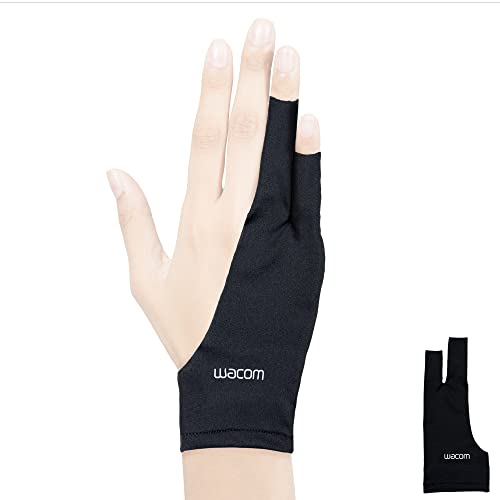
The Wacom Drawing Glove is the premium-feeling option in this roundup, and it suits artists who draw for hours at a time. The glove minimizes friction so the hand glides across a screen or drawing tablet with less drag. The fabric is a blend of recycled polyester and spandex, made mostly from recycled materials, with a soft, stretchy feel that stays comfortable during long sessions.
The design leaves the fingertips exposed, which keeps touch gestures working on screen and makes it easier to feel keyboard keys. The glove fits both right-handed and left-handed artists, and it comes in black in a single one-size fit. At 8.66 by 3.94 inches, it is sized for an average adult hand, and it weighs almost nothing. It works with tablets and displays from any brand, not just Wacom.
Paperlike Drawing Glove
Runner-Up
Paperlike Drawing Glove
Brand: Paperlike
Model: PL-DG-001
Design: Two-finger artist glove with exposed fingertips
The Paperlike Drawing Glove is built for iPad artists. It is a two-finger accessory that leaves all fingertips exposed, so gestures still work while drawing. The breathable, anti-sweat material keeps the hand dry and minimizes the transfer of skin oils to the screen while reducing false inputs. It is very light at 9 grams, and it works with Apple Pencil in all versions as well as with other tablets.
Sizing is a strength here: the glove comes in small, medium, and large, and the size chart matches palm width from pinkie to forefinger. Small fits 6 to 7.5 centimeters, medium fits 7.5 to 8.5 centimeters, and large fits 8.5 to 9.5 centimeters. Buyers should note that the listing showed no featured offers available in the most recent crawl, so availability should be checked before ordering.
The HUION Artist Glove Cura CR-01 is the long-running budget classic in this roundup. It has been sold since April 2015 and is still listed as not discontinued by the manufacturer. It is a single glove in free size, designed for either hand, and it covers two fingers to cut friction between the hand and the tablet surface.
The Cura CR-01 uses an anti-dust design, which helps keep the drawing surface clean while working. The glove is black, light at 0.32 ounces, and measures 4.72 by 3.94 inches, so it packs easily into a laptop bag or tablet sleeve. As a free-size glove it relies on stretch to fit, and most adult hands will find it comfortable.
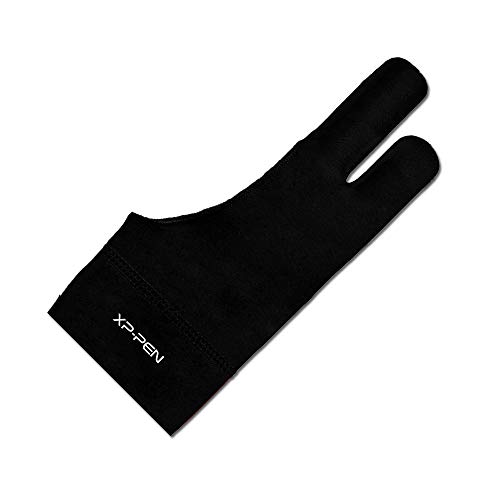
The XPPen Artist Drawing Glove is the best overall value in this roundup. It is a simple two-finger glove in a smooth, skin-friendly fabric with high elasticity, sold by XP-PEN Technology with shipping from Amazon. It is designed for drawing, sketching, inking, coloring, and writing on a graphics tablet or drawing display, and it fits both hands.
Sizing is flexible: the glove comes in free size as well as small, medium, and large. Medium measures 3.55 inches wide, while small measures 3.15 inches and large measures 3.75 inches, so buyers can pick a close fit instead of relying on stretch alone. That range is the widest in this roundup, and it is the main reason this glove takes the top spot.
One honest limitation: the listing states clearly that this glove has no palm-rejection function, so it will not block palm detection on capacitive screens by itself. It still reduces friction, keeps the hand gliding smoothly, and cuts down on smudges, which is what most buyers want from a glove. Artists who need palm blocking should pair it with their tablet or app palm-rejection settings, or pick the picoggo glove below.
picoggo Drawing Glove 2-Pack
picoggo Drawing Glove 2-Pack
Brand: picoggo
Design: Two-finger artist glove with three-layer palm area
The picoggo Drawing Glove two-pack is the best value for artists who want a spare glove or a matched pair. The pack includes two gloves in the same size, so one can be in the wash while the other is in use. Each glove is a two-finger design for graphic tablets, iPad, and paper sketching, with a fixed part that keeps the palm from staining the drawing board.
The standout feature is the three-layer palm area. Most palm-rejection gloves are thin, and thin gloves do not always stop palm detection on capacitive screens. The picoggo glove adds extra padding in the palm area, which improves smudge prevention and reduces unexpected palm touches, making it the strongest palm-blocking option in this roundup. The material is high-elastic Lycra with spandex, which is comfortable, breathable, easy to wash, and quick to dry. The Small size in this listing measures 7.8 by 3 by 0.3 inches and weighs 0.88 ounces.
How to Care for a Drawing Glove
Wash a drawing glove by hand with mild soap and lukewarm water, then let it air dry away from direct heat. Avoid harsh detergents and fabric softener, since residue can change how the fabric slides. Replace a glove when the fabric thins out, the elastic loosens, or the palm area starts to pill.
Frequently Asked Questions
What does a drawing glove actually do?
A drawing glove covers the side of the hand and the last two fingers, so the hand glides across a tablet or pen display with less friction. It also keeps skin oils off the screen and reduces smudging on paper. Most gloves leave the thumb and first two fingers free, so the stylus grip and touch gestures still work.
Do I need a drawing glove for a pen display?
It depends on how you draw. A glove helps most on pen displays and tablets with glossy screens, where a bare palm can stick, drag, or leave marks. Artists who rest their hand heavily on the screen notice the biggest difference. Artists who hover their hand may not need one.
Can a drawing glove block palm touches on an iPad?
A glove can reduce accidental palm touches, especially a glove with a thicker, multi-layer palm area, but it cannot guarantee palm blocking on its own. Use the glove together with the palm-rejection settings in the tablet or drawing app. Some gloves state that they offer no palm-blocking function, so check the listing before ordering.
How do I pick the right glove size?
Measure the width of the palm from the pinkie side to the forefinger side, then match the number to the size chart. One-size and free-size gloves rely on stretch and fit most adult hands, while sized gloves give a closer fit. A snug glove glides better than a loose one, so measure first rather than guessing.
Conclusion
A budget drawing glove is a small accessory that makes a real difference for digital artists. It cuts friction, keeps screens cleaner, and lets the hand move freely during long sessions. The XPPen Artist Drawing Glove is the best pick for most buyers, with four sizes and a smooth, stretchy fabric at a budget tier. The Wacom Drawing Glove is the most comfortable for long hours, the Paperlike Drawing Glove is the best match for iPad artists, the HUION Cura CR-01 is the proven budget classic, and the picoggo two-pack is the best value for artists who want a spare.
E
Emubox Editorial Team
We compare specs, materials and verified owner reviews before a product earns a spot. Rankings are never paid.
Affiliate disclosure. As an Amazon Associate we earn from qualifying purchases at no extra cost to you. Prices accurate as of the date shown.
Best 2mm 70 cm portable antennas compared: telescopic radio antennas near 70 cm, with connectors, bands and collapsed sizes explained before you buy today.
Find the best thermostat setting for winter and summer, with energy-saving setbacks, humidity tips, and smart schedules for a comfortable home year-round.
The best affordable business computer monitors balance sharp text, eye comfort and lasting value. Compare four reliable office displays built for long workdays.
Looking for the best inexpensive HD TVs non smart? Compare five genuinely non-smart HD televisions with tuners, HDMI inputs and simple setup for any small room.



 XPPen Artist Drawing Glove
 picoggo Drawing Glove 2-Pack









