
Key takeaways
- The best mini PC under $400 for most people is a six-core Ryzen model such as the Geekom A5 or the Beelink SER5, while the Beelink EQ14 with an Intel N150…
The best mini PC under $400 for most people is a six-core Ryzen model such as the Geekom A5 or the Beelink SER5, while the Beelink EQ14 with an Intel N150 chip is the pick for quiet, low-power everyday use and emulation. Reviewers who cover this tier broadly agree on a short list, and the choice mostly comes down to how much processing and graphics power you need versus how much noise, size and power draw you can accept.
Our top picks


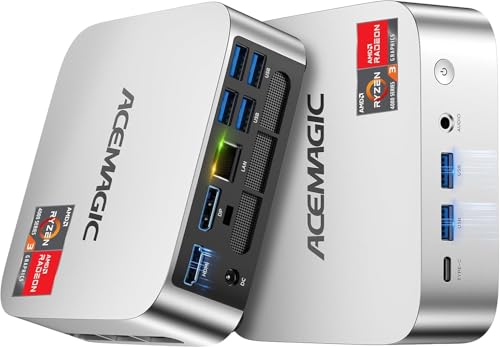
As an Amazon Associate we earn from qualifying purchases at no extra cost to you.
Quick answer by buyer type
- Home office and multitasking: Geekom A5 or Beelink SER5, both built around six-core Ryzen 5 processors.
- Light use, streaming and emulation on the cheapest tier: Beelink EQ14 (Intel N150) or similar low-power N-series boxes from other brands.
- Multiple displays: the A5 supports up to four 4K displays through its HDMI and USB-C ports according to its listing; several other budget models also advertise triple-display output, so check each listing’s port list.
- Home network or server duties: N-series boxes with dual Ethernet, including the EQ14, which lists two Ethernet ports.
What to look for at this price
Under this cap you are choosing between three processor families. Intel N-series chips (N100, N150) are very low power and quiet, but have four cores and modest graphics. Older Ryzen 5 mobile chips (5560U, 7430U) give six cores and twelve threads, meaningfully better multitasking and integrated Radeon graphics. Higher-end Ryzen 7 mini PCs with newer graphics tend to sit at or above the cap, and memory costs can push some listings higher. Always confirm the exact configuration, since the same model name is often sold with different CPUs, memory and storage.
At a glance
| Model | Best for | Key stated specs | Limits |
|---|---|---|---|
| Geekom A5 (2025/2026 edition) | Best overall balance | Ryzen 5 7430U (6C/12T, up to 4.3GHz), Radeon Vega 7, 16GB dual-channel DDR4, 512GB or 1TB M.2 SSD, 2.5-inch bay, 2.5GbE, Wi-Fi 6, Bluetooth 5.2, roughly 650g | Variants with different CPUs exist; older Zen 3 generation |
| Beelink SER5 (5560U) | Upgradeable multitasker | Ryzen 5 5560U, 6C/12T up to 4.0GHz, two SO-DIMM slots up to 64GB DDR4-3200, NVMe plus 2.5-inch SATA, Wi-Fi 6, Ethernet, 126 x 113 x 42mm | Check the Ethernet speed on the listing; Pro-labelled configurations may exceed the cap |
| Beelink EQ14 (N150) | Quiet everyday and server use | N150 quad-core up to 3.6GHz, 16GB DDR4-3200 single channel, 512GB SSD, two HDMI 2.0, dual Ethernet (Gigabit standard, 2.5G also listed by the maker), built-in power supply, 126 x 126 x 39mm | Four cores, single memory channel, 16GB memory ceiling |
| GMKtec G10 | Entry-level Ryzen for office work | The maker lists a Ryzen 5 3500U (4C/8T, Vega 8 graphics), DDR4 memory and M.2 NVMe storage | Older Zen+ generation; listings differ on LAN speed, memory ceiling and warranty term |
| BOSGAME P3 (also sold as P3 Plus) and KAMRUI H1 | Stronger Ryzen 7 options that may sit above the cap | Listings show the P3 with Ryzen 7 7840HS and Radeon 780M; the H1 is sold with several CPUs, including Ryzen 7 7735HS, Ryzen 7 6800H and Ryzen 5 7640HS | Same model name, different configurations; confirm the exact CPU, memory and warranty on the listing |
The main picks in detail
Geekom A5
Budget mini PC guides frequently name the A5 as a benchmark for the tier. The current edition pairs a Ryzen 5 7430U with 16GB of dual-channel memory and a 2.5GbE port, which many Gigabit-only rivals lack. The chassis includes an extra 2.5-inch storage bay, and the listing mentions two DDR4 slots that accept up to 64GB. It also supports up to four 4K displays through two HDMI ports and two USB-C ports. Warranty terms vary by seller, so read the listing. Treat the model name carefully: other A5 versions use Ryzen 7 chips such as the 7730U, so the CPU on the page is the real identifier.
Beelink SER5
The SER5 line has been a staple of budget mini PC lists for years. The 5560U version offers a six-core processor, Wi-Fi 6 and flexible storage, with both an NVMe slot and a 2.5-inch SATA bay. Reviewers describe it as well suited to office work, browsing and media. Beelink also sells higher-priced SER5 variants, so make sure the specific model and memory configuration land inside your budget.
Beelink EQ14
For people who do not need extra horsepower, the EQ14 is attractive. The N150 chip has a 6W processor power rating, the power supply is built into the chassis so there is no external brick, and the two HDMI 2.0 outputs drive two 4K displays at 60Hz. The trade-off is that the memory runs in single channel and the processor has only four cores, which shows in heavy multitasking and in video editing.
Other names in roundups
Several other brands, including GMKtec, KAMRUI and BOSGAME, are named by value-focused guides. Specifications such as RAM type, CPU and ports vary between listings of the same model name. If you consider these, read the maker’s own specification table and confirm the CPU model, memory type and whether memory is upgradeable.
Fit, size and compatibility notes
- Mounting: Most mini PCs can be attached behind a monitor with a VESA bracket, and some include it in the box. Confirm in the listing.
- Memory: DDR4 SO-DIMM modules are common at this tier. Check whether the memory is replaceable before planning an upgrade.
- Wi-Fi and Ethernet: Wi-Fi 6 is typical. If you plan to run it on a wired network, check for 2.5GbE if you have a faster home network.
- Operating system: Windows 11 Pro is commonly preinstalled. A few listings are barebone or ship without an operating system, so read the title closely.
- Ventilation: Leave space around the vents. Small cases run warmer when enclosed.
- Power: Use the power adapter supplied with the unit and follow the maker’s manual.
Pick X if…
| If you need… | Pick | Reason |
|---|---|---|
| Best speed per dollar for office and light creative work | Geekom A5 | Six-core Ryzen with dual-channel memory |
| A flexible storage and memory upgrade path | Beelink SER5 | Up to 64GB memory, NVMe plus SATA |
| Lowest noise and lowest power | Beelink EQ14 | N150 with low rated power and built-in supply |
| A small home server or router box | EQ14 or a fanless N-series model | Dual Ethernet, low power |
| Gaming beyond light titles | Higher tier | Look for a Radeon 780M machine or a discrete-GPU desktop |
Budget tiers
Entry: Intel N100/N150 boxes, good for web, documents, video streaming and emulation of older consoles.
Budget cap (this guide): Ryzen 5 6-core models with Radeon or Vega graphics, comfortable for multitasking, photo editing and light gaming.
Mid-range and above: Ryzen 7 with Radeon 780M graphics, more memory and faster storage, suited to heavier workloads and better gaming.
How to read a mini PC listing
Product titles at this tier are crowded with model years and marketing labels, so a few habits help. First, find the processor model number rather than the brand name, because the same product name can ship with different chips. Second, count memory slots and note whether memory is soldered or removable; the SER5 and A5 listings describe two SO-DIMM slots, while the EQ14 listing describes one. Third, look at the storage description: an NVMe slot is faster than a SATA-only slot, and a spare 2.5-inch bay makes later expansion simple. Fourth, check the port list against your monitors, since HDMI 2.0 or newer is needed for 4K at 60Hz, and listings sometimes disagree about versions. Finally, read the warranty and support terms, because the warranty period is stated by the maker and varies between brands. None of these details need technical expertise, and together they separate a dependable purchase from a listing that only looks cheap.
It also helps to match the machine to the job. Document work, web apps and video calls run comfortably on any option in the table. Photo editing and light video work benefit from the six-core Ryzen chips and from dual-channel memory. Heavy rendering, large virtual machines and modern gaming belong in a higher tier, and buying for those uses at this cap usually leads to disappointment.
Alternatives to consider
- Refurbished business mini PCs: small business desktops from established makers can offer value. Look for a clear warranty and return policy.
- Barebone mini PCs: you add your own memory and storage, which can reduce cost but requires some assembly.
- Fanless N-series models: brands such as MINIX and MeLE sell passive models for silent use, which is the better route if noise is your priority.
Frequently Asked Questions
Is 16GB of RAM enough in a mini PC at this price?
For web browsing, documents, streaming and moderate multitasking, 16GB is a sensible baseline. If you plan to edit photos or video or run virtual machines, choose a model with two memory slots so you can expand later.
Ryzen 5 or Intel N150: which should I choose?
Choose a Ryzen 5 for faster multitasking and better integrated graphics. Choose an N150 if you value silence, low power use and a very small footprint for lighter tasks.
Can I upgrade a mini PC later?
Often yes, but it depends on the model. The SER5 and A5 list user-accessible memory slots and storage bays, while some compact units have a single memory slot or limited maximums, so check the maker’s specifications first.
Do these mini PCs include Windows?
Many listings include Windows 11 Pro, but some are sold barebone or with no operating system. Read the product title and description to be sure.
Are budget mini PC brands reliable?
Established brands such as Beelink and Geekom publish warranty terms, but quality can vary by model. Look for a listed warranty period and responsive support rather than relying on a single roundup.
Will a mini PC run two or more monitors?
Many do. The EQ14 lists two HDMI 2.0 outputs, and the A5 lists support for up to four 4K displays across its HDMI and USB-C ports. Confirm the port types and refresh rates for your monitors in the maker’s specification table.









