We independently review everything we recommend. When you buy through our links, we may earn a commission. As an Amazon Associate we earn from qualifying purchases.
Best Budget External Monitors: 5 Picks for Every Desk
Five budget external monitors for home offices and dorm desks, compared on panel type, refresh rate, ports, and ergonomics so you can pick with confidence.
Five budget external monitors for home offices and dorm desks, compared on panel type, refresh rate, ports, and ergonomics so you can pick with confidence.
⭐ Key Takeaways
Quick answer: Our top pick is Sceptre E248W-19203R, with Acer SB220Q bi as a strong alternative.
The best budget external monitor for most desks is the ASUS VA24DQ, which pairs a 23.8-inch IPS panel with HDMI, DisplayPort, and VGA inputs, built-in speakers, and VESA mounting. For a small desk, the Acer SB220Q bi is the compact pick at 21.5 inches. The AOC 24B2H2 offers the widest color coverage here, with a 100Hz IPS panel and 106 percent sRGB. The Sceptre E248W-19203R is the straightforward 24-inch option with two HDMI ports and speakers, while the KOORUI E2412F is the VA-panel pick for deep contrast and a 100Hz refresh rate. Every monitor below is a Full HD 1920 x 1080 display, described here from published specifications only.
How to Choose a Budget External Monitor
Start with size. A 21.5-inch screen fits a crowded desk or dorm room, while a 24-inch screen gives documents and browser windows more room. All five monitors here sit in that range, so the choice comes down to panel type, refresh rate, ports, and ergonomics.
Panel type shapes the picture. IPS panels keep colors steady at an angle, which matters when a second person looks at the screen. VA panels trade a narrower sweet spot for deeper blacks, so dark scenes hold more detail. The Sceptre uses an LED-backlit panel, while the Acer, ASUS, and AOC use IPS panels and the KOORUI uses a VA panel.
A 75Hz panel refreshes the image 75 times per second, which looks smoother than a 60Hz panel when scrolling documents or moving windows. A 100Hz panel, like the AOC and the KOORUI, goes a step further and suits casual gaming as well as everyday work. Check which port delivers the higher rate: on some models it is available over HDMI only.
Ports decide what the monitor connects to. HDMI is the safe default for laptops and desktops. DisplayPort suits desktop graphics cards and some docking stations. VGA still appears on older office hardware, and every monitor here except the AOC carries one. Buyers with a USB-C-only laptop should plan on an adapter, since none of these five monitors has a USB-C video input.
Ergonomics are easy to overlook at this price. Most budget stands tilt and nothing else, so a monitor arm may be needed to reach eye level. VESA mounting, offered by the ASUS, AOC, and KOORUI, solves that cleanly. Built-in speakers are a bonus for video calls and casual video, but they are small by design and no substitute for separate speakers or headphones.
Finally, confirm the exact model before ordering. Monitor makers sell look-alike variants with different panels, ports, or refresh rates under similar names. The model numbers in this article match the Amazon listings linked below.
Sceptre E248W-19203R
Top Pick
Sceptre E248W-19203R
Best for: buyers who want a simple 24-inch second screen with two HDMI inputs and built-in speakers.
The Sceptre E248W-19203R is the no-fuss 24-inch pick in this roundup. Its 1920 x 1080 resolution and 75Hz refresh rate cover office work, streaming, and light gaming without demanding anything special from the connected computer. Two HDMI ports mean a laptop and a desktop or console can stay plugged in at the same time, with VGA available for older hardware. Built-in speakers handle video calls and casual video, and the listing states 99 percent sRGB coverage, which is generous for a monitor in the budget group.
The stand is basic and the panel is LED-backlit rather than IPS, so colors shift a little at wide viewing angles. That trade-off is reasonable for a single user sitting straight in front of the screen. The 2025 series listing carries model number E248W-19203R and UPC 792343323037.
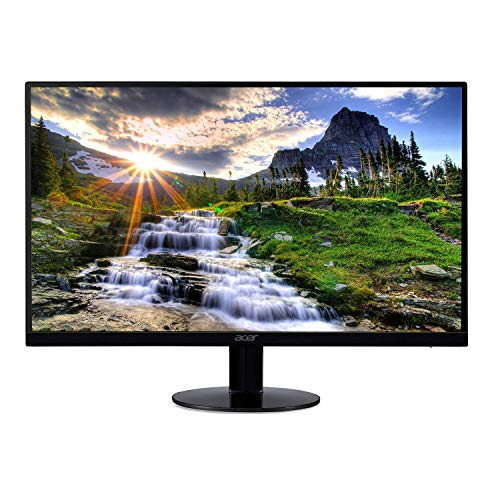
The Acer SB220Q bi is the smallest monitor here at 21.5 inches, and that is its main strength. It fits desks where a 24-inch screen would crowd the keyboard or the notebook, and its ultra-thin zero-frame design keeps the footprint modest. The IPS panel delivers 1920 x 1080 resolution with a 75Hz refresh rate over HDMI and AMD Radeon FreeSync support, which smooths casual gaming. A 4ms response time keeps motion tidy for everyday use.
Connectivity is limited to one HDMI port and one VGA port, so buyers who need two digital inputs should look at the Sceptre or the AOC instead. The stand tilts only, with no height adjustment and no VESA mount, so the screen height is fixed unless a separate riser is used. A VGA cable is included in the box, while an HDMI cable is sold separately. One older crawl of this listing showed no featured offers available, so buyers should confirm the listing is in stock before ordering.
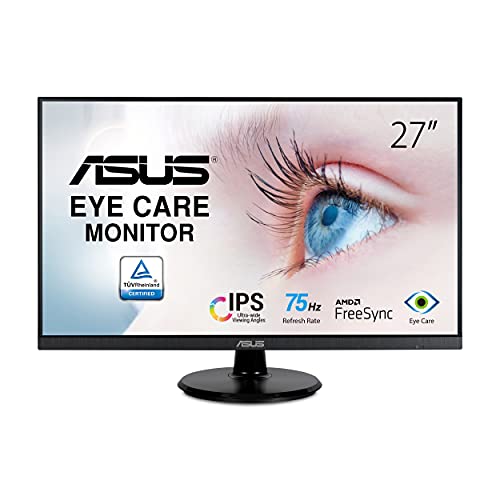
The ASUS VA24DQ is the most complete monitor in this roundup. Its 23.8-inch IPS panel offers 1920 x 1080 resolution, a 178-degree wide viewing angle, and a 75Hz refresh rate with Adaptive-Sync and FreeSync support. Brightness is rated at 250 nits. Where it pulls ahead of the rest is connectivity: HDMI, DisplayPort, and VGA are all present, so it connects to modern laptops, desktop graphics cards, and older office machines alike. Built-in speakers cover video calls, and the frameless design suits side-by-side setups.
Eye care features include low blue light and flicker-free operation, both certified by TÜV Rheinland. The stand is VESA wall mountable, which opens the door to monitor arms. First available on June 29, 2020, the VA24DQ is the oldest listing in this group, and buyers should confirm they are ordering model VA24DQ rather than the similar VA24DQF or VA24DCP variants, which carry different refresh rates and ports.
The AOC 24B2H2 is the color and speed pick of this group. Its 23.8-inch IPS panel runs at 100Hz and covers 106 percent sRGB, the widest color coverage in this roundup. That combination suits photo browsing, design work on a budget, and casual gaming where smooth motion matters. Two HDMI ports handle a laptop and a second device without swapping cables, and a Low Blue Mode reduces eye strain during long sessions.
The stand is tilt-only, but the monitor is VESA compatible, so a monitor arm adds height and swivel adjustment. First available on June 22, 2023, the 24B2H2 is a newer listing than the Acer and ASUS picks here. Buyers should not confuse it with the older AOC 24B2XH, a different model with a 75Hz panel and no US listing under that name.
The KOORUI E2412F is the VA-panel pick, and its contrast ratio is the reason to choose it. The published user manual states a 3000:1 contrast ratio, while the Amazon listing states 4000:1, so buyers should treat the exact figure with care; either way, the VA panel delivers deeper blacks than the IPS panels in this group. The 24-inch screen runs at 1920 x 1080 with a 100Hz refresh rate over HDMI and 99 percent sRGB coverage, and the listing carries TÜV Rheinland certification for its eye care features, including a flicker-free backlight and a blue light filter.
Connectivity is limited to one HDMI 1.4 port, one VGA port, and an audio-out jack. There is no DisplayPort input and no cable included for it, so buyers with a USB-C or Thunderbolt laptop need a USB-C to HDMI adapter. There are no built-in speakers. The stand tilts from minus 5 degrees to 15 degrees, and the monitor is VESA mountable at 100 x 100 mm. The user manual states a 3-year limited warranty.
Specs
Screen size: 24 inches
Resolution: 1920 x 1080 (Full HD)
Refresh rate: 100Hz (HDMI)
Panel type: VA
Contrast ratio: 3000:1 per user manual (listing states 4000:1)
Is a 24-inch Full HD monitor sharp enough for office work?
Yes, for typical desk distances. A 24-inch screen at 1920 x 1080 shows text and spreadsheets clearly when viewed from an arm’s length away. Buyers who sit very close or edit fine detail may prefer a higher resolution, but none of the monitors in this budget group offers one.
Do I need a 100Hz monitor for office work?
No, 75Hz is smooth enough for documents, browsing, and video calls. A 100Hz panel, like the AOC 24B2H2 or the KOORUI E2412F, adds visibly smoother scrolling and benefits casual gaming, but it is a bonus rather than a requirement for office use.
Can I connect these monitors to a laptop with only USB-C ports?
Not directly. None of these five monitors has a USB-C video input, so a USB-C to HDMI adapter or a docking station with HDMI output is needed. The ASUS VA24DQ adds DisplayPort for desktop graphics cards, but it also lacks USB-C input.
Should I choose an IPS or a VA panel?
Choose IPS for wide viewing angles and steady colors, which suits shared screens and color-sensitive work. Choose VA for deeper blacks and stronger contrast, which suits dark video and gaming. The Sceptre uses an LED-backlit panel that sits between the two on viewing angles.
Conclusion
A budget external monitor does not need to compromise on the basics. The ASUS VA24DQ leads this roundup with its IPS panel, three video inputs, built-in speakers, and VESA mounting. The AOC 24B2H2 is the pick for buyers who want 100Hz speed and the widest color coverage, while the KOORUI E2412F trades viewing angles for deep VA contrast. The Sceptre E248W-19203R keeps things simple with two HDMI ports and speakers, and the Acer SB220Q bi fits the smallest desks. Match the monitor to the desk, the ports on the computer, and the work being done, and confirm the exact model number before ordering.
E
Emubox Editorial Team
We compare specs, materials and verified owner reviews before a product earns a spot. Rankings are never paid.
Affiliate disclosure. As an Amazon Associate we earn from qualifying purchases at no extra cost to you. Prices accurate as of the date shown.
Best 2mm 70 cm portable antennas compared: telescopic radio antennas near 70 cm, with connectors, bands and collapsed sizes explained before you buy today.
Find the best thermostat setting for winter and summer, with energy-saving setbacks, humidity tips, and smart schedules for a comfortable home year-round.
The best affordable business computer monitors balance sharp text, eye comfort and lasting value. Compare four reliable office displays built for long workdays.
Looking for the best inexpensive HD TVs non smart? Compare five genuinely non-smart HD televisions with tuners, HDMI inputs and simple setup for any small room.


 AOC 24B2H2
 KOORUI E2412F









