We independently review everything we recommend. When you buy through our links, we may earn a commission. As an Amazon Associate we earn from qualifying purchases.
Best Budget Powerline Adapters for Home Networks 2026
The best budget powerline adapters for getting wired internet to hard-to-reach rooms, from AV600 starter kits to AV2000 and WiFi-equipped sets.
Some rooms simply defeat WiFi: the garage office behind two brick walls, the basement desk under concrete, the spare bedroom at the far end of a long house. Running Ethernet cable is the perfect fix and often a completely impractical one. Powerline adapters are the middle path, sending network data over the electrical wiring already inside your walls. Plug one adapter in near the router, another near the device, and the far room gains a wired connection for a smart TV, a desktop PC or a game console. This guide compares five budget powerline kits sold on Amazon, from the cheapest AV600 starter set to AV2000 hardware and a kit that adds a wireless access point at the far end.
As an Amazon Associate, we earn from qualifying purchases.
Quick answer
Most buyers should start with the TP-Link AV1000 kit (TL-PA7017 KIT): it pairs gigabit Ethernet ports with HomePlug AV2 speeds in a nano-sized plug, and it is the sweet spot between the AV600 gear and the pricier AV2000 kits. Choose the NETGEAR PLW1000 instead if the dead room needs WiFi and a wired port, or the TP-Link AV2000 kit for the fastest link for gaming or streaming.
The TL-PA4010 KIT is the entry ticket to powerline networking, and its job is narrow: give one patient device a stable wired connection where WiFi is unreliable. The AV600 rating describes the theoretical line rate under the HomePlug AV standard, and real throughput is far lower, which is still plenty for a smart TV streaming video, a network printer, a desktop doing email and browsing, or a security camera hub.
Each nano adapter carries a single Ethernet port, and the pair comes pre-paired, so setup is genuinely plug and play: one unit near the router with a cable into a spare LAN port, the other near the target device. A pair button adds encrypted security with a press, worth doing on any powerline network.
The limits are real. There is no passthrough socket, so each adapter consumes a wall outlet entirely, and adapters must sit directly in the wall rather than on a power strip, where filtering can strangle the signal. Speeds depend heavily on your wiring, and older homes with long circuit runs will see the low end of the range. As the cheapest way to test whether powerline works in your house at all, though, this kit earns its place.
The TL-PA7017 KIT is the balanced pick of this roundup. Its AV1000 HomePlug AV2 chipset delivers noticeably more real-world throughput than AV600 hardware, enough for 4K streaming, large file transfers to a NAS and smooth remote desktop work, while the gigabit Ethernet port on each adapter means the port itself never becomes the bottleneck the way slower ports can.
The nano housing is genuinely small, leaving the neighboring socket usable on most outlets, and a power-saving mode drops consumption when the connected device is off or idle. Pairing is automatic out of the box, and the pair button enables encryption in seconds. Like the AV600 kit, there is no passthrough socket, so plan outlet space accordingly.
Powerline performance always depends on the house more than the hardware, and this kit is no exception: adapters on the same circuit perform best, and every breaker or junction between them trims speed. Even so, for a single desk, console or TV that needs dependable wired networking without new cable runs, the AV1000 kit is where the value curve peaks. It is also the easiest kit to extend later, since additional HomePlug AV2 adapters join the same network with the same pairing process.
NETGEAR’s PL1000 kit competes directly with the TP-Link AV1000 above, matching the HomePlug AV2 1000-class line rate and giving each adapter one gigabit Ethernet port. The two adapters arrive pre-paired, and indicator lights on the front report connection quality at a glance, which helps when you are experimenting with different outlets to find the fastest path through your wiring.
The pick-a-plug style LED feedback is the practical difference here: it lets you walk the far adapter from socket to socket and watch the link quality change, a genuinely useful feature in houses where one room has several outlets on different circuits. Setup security is handled by a button press that enables encryption across the powerline network.
The housings are larger than TP-Link’s nano plugs, so on a crowded duplex outlet the second socket may be partly blocked, and there is again no passthrough socket. Performance lands in the same band as the AV1000 kit, since both ride the same standard and wiring. Choose between them on price when you buy and on which design suits your outlets; either one rescues a dead room for streaming, browsing and everyday desktop work.
NETGEAR Powerline Adapter and Wireless Access Point Kit (PLW1000-100NAS)
NETGEAR Powerline Adapter and Wireless Access Point Kit (PLW1000-100NAS)
The PLW1000 solves a slightly different problem. One unit is a standard Powerline 1000 adapter that connects to the router; the other is a wireless access point that plugs into the far room and broadcasts WiFi there, fed by the powerline link. A gigabit Ethernet port on the access point still gives one device a true wired connection, so a desk in the dead room gets both: cable for the PC, fresh WiFi for phones and tablets.
The access point supports dual-band 802.11ac wireless, and it can clone your existing network name or run as its own network, depending on whether you prefer seamless roaming or a clearly separate far-room network. For garden offices, converted garages and guest rooms, this single kit replaces what would otherwise be a powerline pair plus a second access point, with one less box and one less configuration headache.
The trade-offs are size and scope. The access point unit is bulky, the WiFi it creates is a single-room bubble rather than whole-home coverage, and total cost runs higher than a plain wired kit. But for the classic dead-zone room where everything, wired and wireless, struggles at once, this is the most complete budget answer on the list.
The TL-PA9020P KIT is the performance pick. Its AV2000 chipset uses 2×2 MIMO with beamforming, sending data across more of the wiring at once, and in homes with decent electrical runs it delivers the highest real throughput of any kit here, the right foundation for a gaming PC, a 4K streaming box or a home-office workstation that moves large files.
Each adapter provides two gigabit Ethernet ports, so the far end can wire a PC and a console, or a TV and a streaming stick, without adding a switch. A passthrough power socket with noise filtering means the adapter does not consume the outlet, and the filter can actually improve performance by isolating noisy appliances plugged through it. That makes this the easiest kit to live with in a media center where outlets are scarce.
It is also the largest and most expensive kit in this roundup, and MIMO gains shrink in houses with old or complicated wiring, where an AV1000 kit may land surprisingly close. Buy it when the far room holds demanding wired gear and the house wiring is reasonably modern; it is the closest powerline gets to feeling like a real cable run.
How to choose
Understand the speed ratings first. AV600, AV1000 and AV2000 are theoretical line rates under ideal conditions, and real throughput is always a fraction of the headline number, shaped mostly by your wiring. Buy the class that matches the job: AV600 for a TV or printer, AV1000 for general desk and streaming duty, AV2000 for gaming, NAS traffic and multiple wired devices.
Installation rules matter more than brand. Plug adapters directly into wall sockets, never into surge protectors or extension strips, keep them off circuits shared with heavy motor loads where possible, and enable the encryption pairing, since powerline signals can travel further than your living room. Passthrough models preserve the socket and add filtering; nano models preserve the neighboring socket instead.
Finally, think about what the far room needs. A single wired port serves one device; two ports or a small switch serve a desk. If phones and laptops there also struggle, a kit with a built-in access point, like the NETGEAR PLW1000, fixes the whole room in one purchase instead of only the cabled device.
Who should skip
Skip powerline entirely if you can run a real Ethernet cable or have coaxial outlets in both rooms, since MoCA adapters over coax are usually faster and more consistent. Skip it if your home has very old wiring, multiple sub-panels or a history of electrical noise, because results there are a lottery. Renters in large apartment buildings should also think twice, as shared electrical infrastructure can mean weak links and neighbors on the same network segment, even with encryption enabled. And if your problem is whole-home WiFi coverage rather than one wired device, a mesh WiFi system is the more direct fix.
Frequently asked questions
Do powerline adapters work across different circuit breakers?
Usually, yes, as long as both outlets ultimately run through the same main electrical panel. The signal crosses breakers within that panel, though each crossing costs some speed, and adapters on the same circuit almost always perform best. Homes with separate sub-panels, or outbuildings fed from their own panel, are the common failure case. Testing different outlets in the target room often finds a noticeably faster path.
How fast is powerline in real-world use?
Expect a fraction of the headline rating. In typical homes, AV600 kits deliver enough for HD streaming and browsing, AV1000 kits commonly handle 4K streaming, video calls and file transfers comfortably, and AV2000 kits offer the most headroom for gaming and NAS work. Distance, wiring age, circuit layout and electrical noise from appliances all move the number, which is why the same kit can feel fast in one house and mediocre in another.
Can I mix brands or add more adapters later?
Adapters built on the HomePlug AV and AV2 standards generally interoperate, and all the kits here speak those standards. A network can host several adapters, so you can add a third room later, though the whole network tends to run at the pace of its slowest member and the total bandwidth is shared. For the smoothest results, extend with the same speed class you started with, and re-run the security pairing after adding any unit.
Is powerline better than a WiFi extender for one dead room?
For a single wired device, usually yes. A powerline link does not depend on receiving a weak wireless signal and repeating it, so latency is lower and more consistent, which gamers and video callers notice immediately. A WiFi extender or mesh node is better when the dead room needs wireless coverage for many devices. The NETGEAR PLW1000 kit splits the difference by delivering both a wired port and a fresh access point to the same room.
Final verdict
Powerline remains the pragmatic fix for one stubborn room. The TP-Link AV1000 kit is the best value for most homes, the AV600 kit is the cheap way to test the concept, NETGEAR’s PL1000 matches the AV1000 with helpful link-quality lights, the PLW1000 adds WiFi where the whole room is a dead zone, and the TP-Link AV2000 kit is the fastest option with the convenience of passthrough sockets and dual ports. Buy the class that matches your wiring and your workload.
E
Emubox Editorial Team
We compare specs, materials and verified owner reviews before a product earns a spot. Rankings are never paid.
Affiliate disclosure. As an Amazon Associate we earn from qualifying purchases at no extra cost to you. Prices accurate as of the date shown.
Best 2mm 70 cm portable antennas compared: telescopic radio antennas near 70 cm, with connectors, bands and collapsed sizes explained before you buy today.
Find the best thermostat setting for winter and summer, with energy-saving setbacks, humidity tips, and smart schedules for a comfortable home year-round.
The best affordable business computer monitors balance sharp text, eye comfort and lasting value. Compare four reliable office displays built for long workdays.
Looking for the best inexpensive HD TVs non smart? Compare five genuinely non-smart HD televisions with tuners, HDMI inputs and simple setup for any small room.

 TP-Link AV600 Powerline Ethernet Adapter Kit (TL-PA4010 KIT)
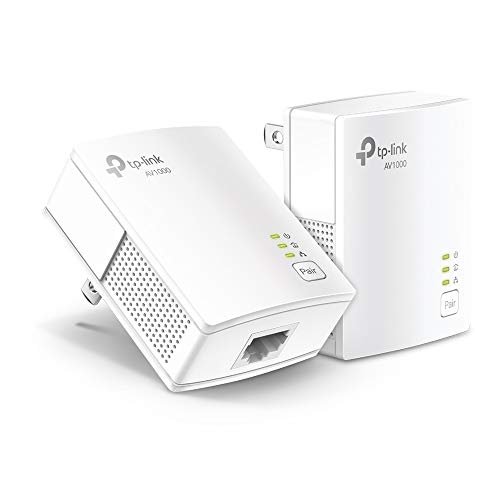 TP-Link AV1000 Powerline Ethernet Adapter Kit (TL-PA7017 KIT)
 NETGEAR Powerline Adapter Kit, 1000 Mbps Wall-Plug (PL1000-100PAS)
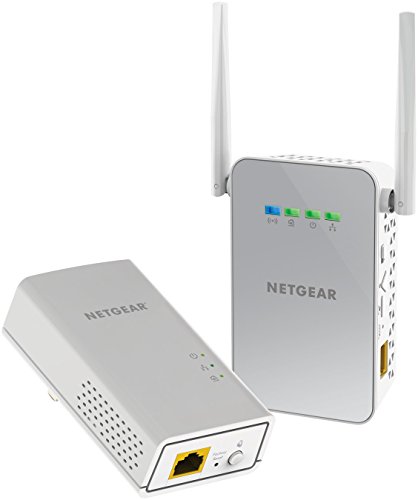 NETGEAR Powerline Adapter and Wireless Access Point Kit (PLW1000-100NAS)
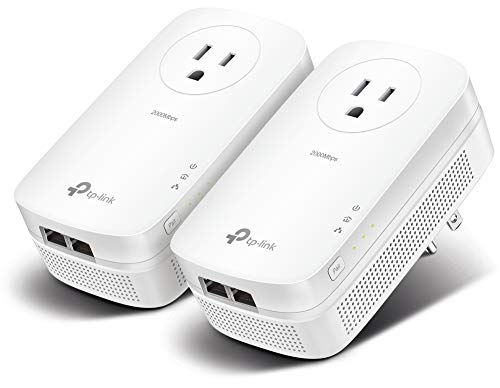 TP-Link AV2000 Powerline Ethernet Adapter Kit (TL-PA9020P KIT)









