We independently review everything we recommend. When you buy through our links, we may earn a commission. As an Amazon Associate we earn from qualifying purchases.
Best Capture Cards for Streaming and Recording in 2026
Compare the best capture cards for streaming and recording, from 1080p60 starters to 4K HDMI 2.1 models, with notes on passthrough, latency and software.
Compare the best capture cards for streaming and recording, from 1080p60 starters to 4K HDMI 2.1 models, with notes on passthrough, latency and software.
⭐ Key Takeaways
Quick answer: Our top pick is Elgato HD60 X, with Elgato 4K X as a strong alternative.
A capture card takes the HDMI signal from a console, camera or second PC and feeds it into streaming or recording software on your computer. The right pick depends on the resolution you play at, the frame rate you want to publish, and whether you need high-refresh passthrough to your monitor. These five cards cover the main budgets and use cases.
As an Amazon Associate, we earn from qualifying purchases.
Quick answer
For most streamers, the Elgato HD60 X is the safest all-round capture card, with 1080p60 HDR10 recording, 4K30 capture and variable refresh rate passthrough. Players with HDMI 2.1 consoles should step up to the Elgato 4K X. Anyone who wants to record without a PC should look at the AVerMedia Live Gamer Portable 2 Plus instead.
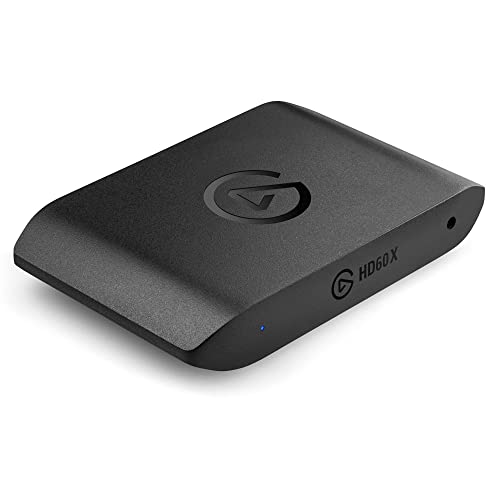
The HD60 X is the card most console streamers should start with. It captures gameplay at 1080p60 with HDR10, can record at up to 4K30, and passes through signals up to 4K60 or 1440p120 to your gaming display, so playing while you stream does not mean giving up a sharp, fast picture. Variable refresh rate passthrough is a genuine advantage for current consoles, because it keeps screen tearing out of the feed you actually play on.
Connection is a single USB-C cable using USB 3.0, and the card works with OBS Studio, Streamlabs and Elgato’s own 4K Capture Utility on Windows and Mac. Latency in the preview is low enough for menu navigation and slower games, although competitive players will still want to play from the passthrough display rather than the software preview. The compact body sits neatly behind a console or under a monitor, and setup is close to plug and play once the source resolution is set correctly.
Choose the HD60 X if you stream from a PlayStation, Xbox or Switch and publish at 1080p. It is the balanced option in this list: modern passthrough, clean HDR handling and broad software support without paying for HDMI 2.1 capture you may never use.
The 4K X is built for players who run the newest consoles at high frame rates and want recordings to match. With HDMI 2.1 in and out, it captures up to 4K144, or 1080p240 for fast-paced titles, and passes through HDR10 and variable refresh rate signals to compatible displays. That headroom makes it the most future-proof external card here, suited to capture PCs that need to keep up with top-end gaming monitors.
It connects over USB 3.2 Gen 2, so the capture computer needs a fast USB port to reach the highest modes; on slower ports the card steps down to lower resolutions. Elgato’s 4K Capture Utility handles recording on Windows, while OBS Studio covers streaming layouts and overlays. The unit also works with iPad capture setups, which suits creators who edit on a tablet.
This is the pick for serious creators recording PlayStation 5 Pro or Xbox Series X footage at high refresh rates, and for anyone building a two-PC streaming desk. If your source is a Switch or an older console, its extra bandwidth goes unused, and the HD60 X below it in price makes more sense.
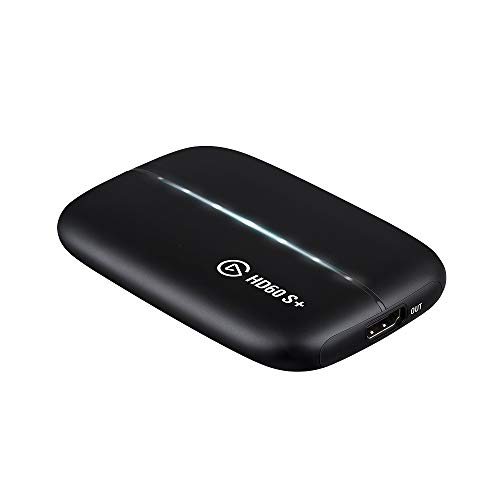
The HD60 S+ is an established external card that still earns its place for straightforward 1080p streaming. It records at 1080p60 with HDR10 and passes through up to 4K60 HDR10, which means your TV can show a full-quality console picture while the stream stays at a manageable Full HD. For channels that publish at 1080p or 720p, that combination covers nearly everything viewers actually watch.
Setup runs over USB 3.0 with the usual Elgato workflow in OBS Studio, Streamlabs or the 4K Capture Utility. Instant Gameview keeps preview latency low, and the card handles PlayStation, Xbox, Switch and camera sources without extra adapters. Because the model has been sold for years, troubleshooting advice and preset guides are easy to find, which matters when a stream is about to start.
Pick the HD60 S+ if you want a proven card for 1080p60 streaming and do not need variable refresh rate passthrough or capture above 4K30. Buyers choosing between it and the HD60 X should note the newer card adds VRR support and a USB-C connector, so the S+ makes most sense when it is the cheaper of the two on the day.
The Live Gamer Portable 2 Plus, model GC513, solves a different problem: recording gameplay when no capture PC is available. Its PC-free mode saves footage directly to a microSD card at 1080p60, so a console in the living room or at an event can be recorded with nothing more than this box and a card. Back at a desk, it connects over USB and works as a conventional capture device for streaming.
Passthrough supports up to 4K, and the unit includes audio connections that help with party chat recording, a common headache on console streams. AVerMedia’s RECentral software covers recording settings on PC, and the card also works in OBS Studio. The built-in H.264 encoder keeps the load off the host computer in PC-free mode, and a single button starts and stops recording.
Choose this card if you split time between a desk setup and recording on the move, or if younger players in the house want to save gameplay without occupying the family computer. Dedicated streamers who always broadcast from one PC will get more long-term value from the Elgato models, but nothing else here records on its own.
The Cam Link 4K is not a game capture card in the usual sense. It is a small USB dongle that turns a DSLR, mirrorless camera or camcorder with clean HDMI output into a high-quality webcam for streams, video calls and recorded tutorials. It accepts signals up to 4K30 or 1080p60 and presents them to the computer as a standard webcam source, so Zoom, Teams, OBS Studio and recording apps all see it without drivers.
That makes it the right tool for creators whose problem is picture quality on camera rather than gameplay capture. Paired with a fast lens, a mirrorless camera delivers shallow depth of field and low-light performance that no ordinary webcam matches. The dongle is tiny enough to live in a laptop bag, and it draws power from the USB 3.0 port, so there is no extra supply to pack.
Check camera compatibility before buying, because the source camera must offer clean HDMI output without overlays and ideally unlimited runtime. If you need to record a console, choose one of the game capture cards above instead. For face-cam quality on a streaming or meeting desk, the Cam Link 4K remains the simple, proven route.
How to choose
Start with the signal you play at. A 1080p60 source only needs a 1080p card, while 4K and high-refresh consoles benefit from HDMI 2.1 passthrough so the gaming display is not held back. Next, separate capture resolution from passthrough resolution: many cards pass 4K through but record at 1080p, which is fine for most streaming platforms.
Check the capture computer as well. High-end modes need USB 3.2 Gen 2 ports and a reasonably modern processor for encoding, and Mac and Windows software support differs between brands. Finally, decide whether you need extras such as PC-free recording, party chat inputs or camera support, because those features separate otherwise similar cards more than headline resolutions do.
Who should skip
Skip a capture card entirely if you only stream PC games from the same machine you play on, because software capture in OBS Studio already does that job. Console players who only clip short highlights can also rely on the recording features built into current consoles. And if your camera lacks clean HDMI output, the Cam Link 4K cannot fix that, so a good dedicated webcam is the better spend.
FAQ
Do capture cards add lag to gameplay?
The passthrough output on these cards is designed to add negligible delay, so you play from the TV or monitor connected to the card’s HDMI output. The preview inside streaming software carries more latency, which is why fast games should always be played from the passthrough display rather than the capture window on the PC.
Can one capture card work with both a console and a camera?
Game capture cards accept any HDMI source, so a camera can be routed through them, but settings are tuned for gameplay signals. The Cam Link 4K is the opposite: it is designed for cameras and presents them as a webcam. Creators who need both often use a game card for the console and a Cam Link for the camera.
What software do capture cards work with?
All five picks work with OBS Studio, and most also support Streamlabs and the manufacturer’s own recording app. The software is where overlays, alerts, scenes and audio mixing are handled, while the card simply delivers the video signal. Check that your operating system is supported before ordering, especially on Mac.
Final verdict
The Elgato HD60 X is the default recommendation for console streaming at 1080p, and the 4K X is the upgrade for HDMI 2.1 setups that record at high frame rates. The HD60 S+ remains a sensible value pick, the AVerMedia Live Gamer Portable 2 Plus is the only choice here that records without a PC, and the Cam Link 4K serves creators who need a real camera as their webcam.
E
Emubox Editorial Team
We compare specs, materials and verified owner reviews before a product earns a spot. Rankings are never paid.
Affiliate disclosure. As an Amazon Associate we earn from qualifying purchases at no extra cost to you. Prices accurate as of the date shown.
Best 2mm 70 cm portable antennas compared: telescopic radio antennas near 70 cm, with connectors, bands and collapsed sizes explained before you buy today.
Find the best thermostat setting for winter and summer, with energy-saving setbacks, humidity tips, and smart schedules for a comfortable home year-round.
The best affordable business computer monitors balance sharp text, eye comfort and lasting value. Compare four reliable office displays built for long workdays.
Looking for the best inexpensive HD TVs non smart? Compare five genuinely non-smart HD televisions with tuners, HDMI inputs and simple setup for any small room.

 Elgato HD60 X
 Elgato 4K X
 Elgato HD60 S+
 AVerMedia Live Gamer Portable 2 Plus
 Elgato Cam Link 4K









