Key takeaways
- The best affordable business computer monitors balance sharp text, eye comfort and lasting value. Compare four reliable office displays built for long workdays.
A good business monitor is a tool you forget about. It shows spreadsheets, documents, video calls and dashboards clearly for eight hours a day, sits at a comfortable height, and never makes you squint, lean forward, or fight glare from the office window. The best affordable business computer monitors do all of that without the premium price of a colour-critical design display or the flashy extras of a gaming screen. This guide compares four reliable office displays that focus on the things that matter at work: a sharp IPS panel, readable text, sensible connectivity, and a stand that adjusts to you rather than the other way around.

Every monitor below is a productivity-first display, chosen for a specific kind of workday: the all-rounder for any desk, the classic office screen with built-in speakers, the slim eye-care panel for long reading sessions, and the larger 27-inch display for side-by-side windows. Read the buying guide at the end before you decide, because the right size and stand often matter more than the panel itself.
As an Amazon Associate, we earn from qualifying purchases.
Quick Picks
Our Short List of 3
All 3 Picks at a Glance
| Product | Specs | Action |
|---|---|---|
| 2. HP 24mh — Best Office Monitor With Speakers | Check price on Amazon | |
| 3. ASUS VZ24EHF — Best Slim Eye-Care Monitor | Check price on Amazon | |
 4. AOC 27B2H2 — Best 27-Inch Monitor for Dual Setups | Check price on Amazon |
1. Dell P2422H — Best Overall Business Monitor
The Dell P2422H is the monitor this guide would recommend first to most offices, and the reason is simple: it gets the fundamentals right and then adds the extras that make a shared fleet easy to live with. Its 23.8-inch IPS panel shows Full HD resolution at 1920 by 1080, which keeps text crisp at normal desk distance, and the wide viewing angles of an IPS panel mean the image stays consistent when a colleague leans in to look at your screen. Dell lists 99 percent sRGB colour coverage for this model, so documents, presentations and web pages look natural rather than washed out or oversaturated.
Where the P2422H pulls ahead of cheaper screens is the stand and the connectivity. The included stand adjusts for height, tilt, swivel and pivot, so the screen can be set to eye level and even rotated into portrait orientation for long documents or code. That matters more than it sounds: a monitor fixed at the wrong height is a common cause of neck strain over a full workweek, and a height-adjustable stand is the cheapest ergonomic upgrade a desk can get. The monitor also carries a built-in USB 3.2 hub, which gives a desk a convenient place to plug in a keyboard, mouse or headset without reaching around to the back of the computer.
Connectivity covers the inputs most offices actually use, with HDMI, DisplayPort and VGA listed, so the same monitor can serve a modern laptop through a dock, a desktop through DisplayPort, or an older machine that still relies on VGA. Dell also includes its ComfortView Plus low blue light feature, which is designed to reduce eye strain during long sessions without shifting colours the way some night-mode filters do. The P2422H is a 2022-era business model, so check the listing before ordering to confirm the exact configuration and that a new unit is being offered rather than a refurbished one, and confirm that the stand and cables in the box match what your setup needs.
Check the Dell P2422H on Amazon
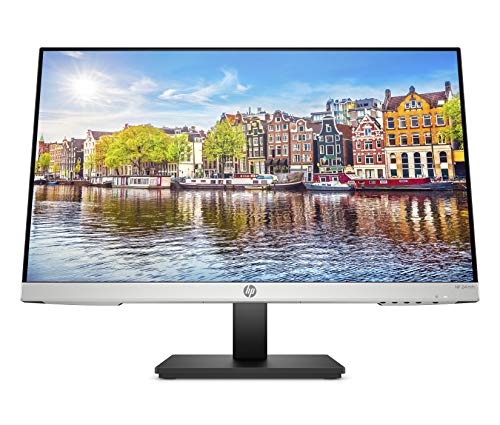
2. HP 24mh — Best Office Monitor With Speakers
The HP 24mh has been a fixture on office desks for years, and its staying power comes from a practical combination: a solid IPS panel, built-in speakers, and a stand that adjusts for height and tilt. The 23.8-inch Full HD display at 1920 by 1080 is the standard size for business work, large enough for two documents side by side and small enough to fit a second monitor on the same desk later. HP lists a 178-degree viewing angle, which is typical of IPS technology and keeps the picture steady when the screen is viewed from the side.
The built-in speakers are the feature that sets the 24mh apart in this lineup. They will not replace a dedicated speaker set for music, but they are genuinely useful for video calls, training videos and system sounds, and they remove one more box from a crowded desk. The height adjustment offers 100mm of travel according to the listing, which is enough to bring the top of the screen to eye level for most seated users, and the monitor also supports VESA mounting if you would rather put it on an arm or a wall bracket.
Ports are generous for a monitor in this class: HDMI, DisplayPort and VGA are all listed, so the 24mh connects to almost any office computer without an adapter. The anti-glare coating helps in bright rooms, and the slim bezels keep the footprint tidy. One caution is worth noting: because this is a long-running model, Amazon also carries a Renewed version of the same monitor under a different listing. Make sure the listing you open is the new retail version, identified by the model number 1D0J9AA, and check the seller and condition before ordering. A fresh mirror of the listing showed it in stock recently, but stock and sellers change, so confirm both on the live page.
3. ASUS VZ24EHF — Best Slim Eye-Care Monitor
The ASUS VZ24EHF is the slimmest monitor in this guide, and its appeal is aimed squarely at people who spend their whole day reading. The 23.8-inch IPS panel runs at Full HD resolution, and ASUS pairs it with a 100Hz refresh rate, which is a step above the 60Hz and 75Hz panels common in this class. In everyday office use, a higher refresh rate makes scrolling through long documents and web pages look smoother and can make the screen feel more responsive, even though this is not a gaming display.
ASUS describes the VZ24EHF as an Eye Care monitor, and the relevant features are low blue light and flicker-free backlighting, both aimed at reducing fatigue during long sessions. The panel is frameless on three sides, which gives the monitor a modern look and makes it a good candidate for a dual-monitor setup, where two screens sit close together with only a thin gap between them. At 6.5mm at its thinnest point according to ASUS, the profile is notably slim, which suits desks where depth is limited and the monitor needs to sit close to the wall.
Connectivity is more basic than on the Dell or HP picks: the listing centres on HDMI, so check that your computer or dock has an HDMI output, or plan for an adapter. The stand is also simpler, offering tilt rather than the full height, swivel and pivot adjustment of the business-class models above. That trade-off is the reason this monitor sits third rather than first: if your desk already has a monitor arm, or if you are comfortable with a fixed height, the slim design and smoother panel are a fair exchange. If you need height adjustment out of the box, the Dell or HP pick is the safer choice. Note the model name carefully when ordering: the listing linked here is the VZ24EHF, not the similar-sounding VA24EHF, which is a different model in the same ASUS Eye Care family.
Check the ASUS VZ24EHF on Amazon
4. AOC 27B2H2 — Best 27-Inch Monitor for Dual Setups
The AOC 27B2H2 is the largest screen in this guide, and it is the pick for anyone whose work benefits from more room: comparing two spreadsheets, keeping a video call open beside a document, or working with a wide timeline. The 27-inch IPS panel shows Full HD resolution at 1920 by 1080, the same pixel count as the 24-inch models above spread over a larger area. Text is therefore a little larger and easier to read, though it is not quite as sharp per inch as on the smaller screens, which is a trade-off worth knowing before you buy. If your work is mostly fine text and you sit close to the screen, a 24-inch panel may suit you better; if you want breathing room and bigger on-screen elements, the 27-inch size earns its place.
AOC lists 101 percent sRGB colour coverage for this model, which is a strong figure for an affordable office display and helps presentations and web content look vivid without extra calibration. The panel refreshes at 100Hz, matching the ASUS pick, and the brightness is listed at 250 nits, which is adequate for a typical office but may struggle in a very bright room with direct sunlight on the screen. The three-sided frameless design is the standout feature for dual-monitor users: two of these side by side leave only a hairline gap, which makes the pair feel like one wide workspace.
Ports are limited to two HDMI inputs, so this monitor suits modern laptops and desktops with HDMI output, but it has no DisplayPort or VGA, and there is no built-in USB hub. The stand offers tilt adjustment, and the monitor supports VESA mounting at 100 by 100mm, so a monitor arm is an easy upgrade if you want height control. A recent price-tracking mirror showed a current listing for this model, which is a good sign for availability, but as with every pick here, confirm the condition, seller and included accessories on the live listing before ordering.
Check the AOC 27B2H2 on Amazon
Buying Guide: How to Choose an Affordable Business Monitor
Start with size, then resolution
For most business work, 24 inches is the sweet spot: large enough for real multitasking, small enough that Full HD text stays sharp. A 27-inch Full HD screen shows the same number of pixels over a bigger area, so text looks larger but slightly less crisp. If you want a 27-inch screen with sharper text, you need a higher resolution, which usually costs more. For spreadsheets, email, documents and video calls, Full HD at 24 inches is the balanced choice, and it is what three of the four picks in this guide offer.
Choose an IPS panel when you can
IPS panels show consistent colours and brightness from wide angles, which matters when a colleague looks at your screen or when you shift position during the day. Cheaper VA and TN panels can look fine head-on but wash out or shift colour from the side. Every monitor in this guide uses an IPS panel, and that is not a coincidence: for office work, viewing-angle consistency is worth more than the deeper blacks a VA panel might offer.
Do not ignore the stand
A height-adjustable stand is the single most useful ergonomic feature on a business monitor, and it is the main thing that separates the Dell P2422H and HP 24mh from the slimmer picks here. Being able to raise the screen so the top edge sits at eye level reduces neck strain over a full week. If the monitor you like has only a tilt stand, budget for a VESA monitor arm, or check that the monitor supports VESA mounting, which all four picks in this guide do in one form or another.
Match the ports to your computer
Before ordering, check what outputs your computer or docking station actually has. Older office desktops often still use VGA or DisplayPort, while modern laptops usually offer HDMI or USB-C. The Dell and HP monitors in this guide cover HDMI, DisplayPort and VGA, which makes them the safest choice for mixed or older hardware. The ASUS and AOC models are HDMI-focused, so they suit newer setups but may need an adapter for older machines. A monitor with a built-in USB hub, like the Dell P2422H, also cuts cable clutter by giving peripherals a home on the desk.
Eye comfort is a real feature, not a slogan
Long workdays punish your eyes, and two features genuinely help: a low blue light mode and a flicker-free backlight. The ASUS VZ24EHF leads on this front, and the Dell ComfortView Plus feature addresses the same problem. An anti-glare coating also matters if your desk faces a window. Whichever monitor you choose, set its brightness to match the room rather than running it at full brightness all day, and follow the habit of looking away from the screen for a short break at regular intervals.
Check the listing, not just the model name
Business monitors stay on sale for years, and the same model name can cover new, refurbished and renewed units under different listings. Always open the exact listing linked here, confirm that it is a new unit from a seller you trust, and check what is in the box: some listings include only a power cable, while others add an HDMI or DisplayPort cable. Also confirm the warranty terms, since business monitors from Dell, HP, ASUS and AOC typically carry a multi-year manufacturer warranty, but the terms can differ by seller and region.
Frequently Asked Questions
What size monitor is best for business work?
For most people, a 24-inch Full HD monitor is the best balance of sharpness, desk space and cost. It fits two documents side by side and keeps text crisp. A 27-inch screen suits people who want larger text or a wider workspace, but at Full HD resolution the image is a little less sharp than on a 24-inch panel, so it is a trade-off rather than a straight upgrade.
Is a 100Hz monitor better than a 60Hz monitor for office work?
A 100Hz panel refreshes the image more often, which makes scrolling and moving windows look smoother. It is a pleasant improvement for everyday use, and both the ASUS VZ24EHF and the AOC 27B2H2 in this guide offer it. It is not essential, though: a 60Hz or 75Hz panel like the Dell P2422H or HP 24mh is perfectly fine for documents, spreadsheets and calls, and the stand and connectivity on those models may matter more.
Do I need built-in speakers in a business monitor?
Built-in speakers are convenient for video calls and training videos, and they keep the desk tidy. The HP 24mh in this guide includes them. If you already use a headset or external speakers for calls, built-in speakers are not necessary, and you should choose based on panel, stand and ports instead.
Can I use two of these monitors together?
Yes. All four monitors in this guide work well in dual setups, and the frameless designs of the ASUS VZ24EHF and AOC 27B2H2 are especially suited to sitting side by side. Check that your computer or dock has two video outputs, or a docking station that supports two displays, before buying a second monitor.
How do I set up a new business monitor comfortably?
Place the monitor at arm’s length, with the top of the screen at or slightly below eye level, and tilt it back a little. Use the height adjustment on the stand, or a monitor arm, to get the position right rather than stacking books under the base. Set the brightness to match the room, and choose a text size you can read without leaning forward.
Conclusion
The best affordable business computer monitors are the ones that disappear into the workday, and the Dell P2422H does that most completely, with a sharp IPS panel, a fully adjustable stand, a USB hub and broad connectivity. The HP 24mh is the practical alternative if built-in speakers and a proven office track record matter to you. The ASUS VZ24EHF suits readers and dual-screen desks with its slim frame, smoother 100Hz panel and eye-care features, while the AOC 27B2H2 gives you the most screen space for the money. Whichever you choose, confirm the exact listing, the condition and the ports before ordering, and spend a few minutes setting the height and brightness once it arrives. A monitor set up well is a monitor you will not think about again, which is exactly the point.